
Updated
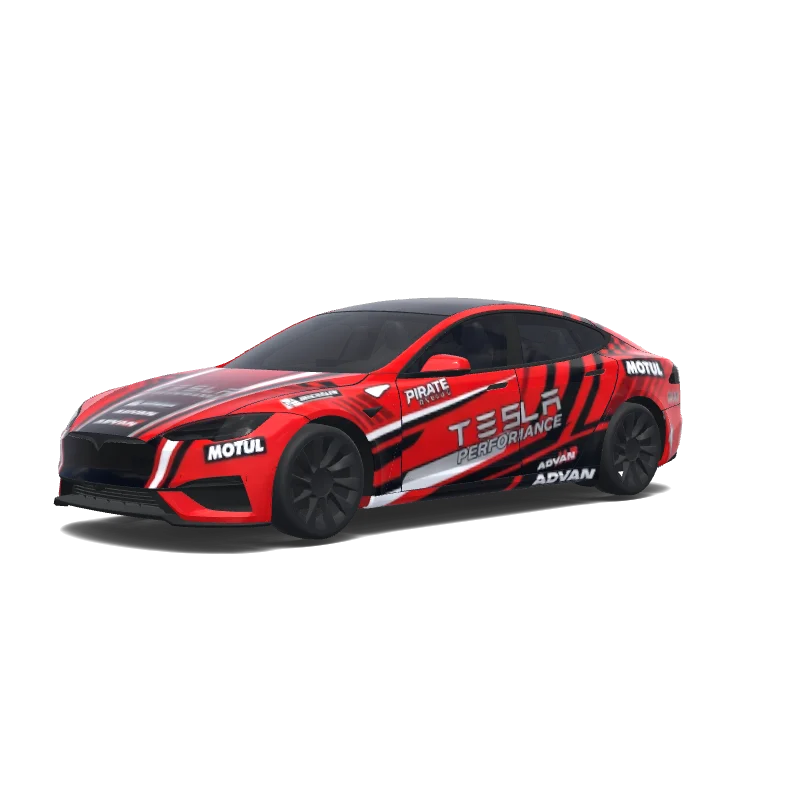
“Model S wrap” can mean vinyl applied to the real car or a digital wrap displayed in Tesla Paint Shop. This guide covers the digital PNG: choose the exact Model S template, build the design on its panel map, and inspect it in the matching 3D editor. A Paint Shop wrap changes the vehicle visualization; it does not cover, protect, or recolor the physical paint. If you mean vinyl installation, ask an installer about your specific vehicle separately.
Community designs to compare
Compare these credited community vehicle previews for color and placement. Each case lists its vehicle version; preview-only concepts are labeled separately.
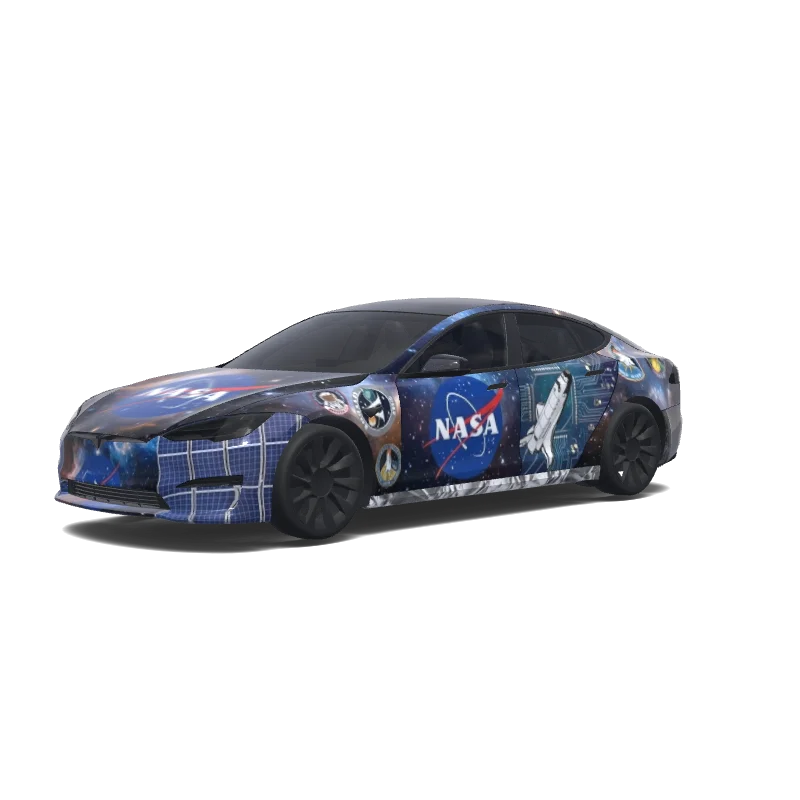
Blue space imagery uses a large side badge as its focal point. Compare it with the racing Plaid example as a design direction; their underlying vehicle templates differ.
View design details →A Model S wrap workflow
- Confirm the listed variant. Match the vehicle to Model S (2021+) or Model S (2025+) Plaid before choosing a file.
- Open the matching blank template or gallery. Use the exact vehicle entry and keep an untouched copy of the template.
- Place one test detail. Add a temporary stripe or mark, inspect it in the 3D editor, and learn how the UV regions map to the car.
- Finish the composition and inspect all sides. Keep important text within a mapped region; rotate the car before polishing small details.
- Check and transfer the PNG. Run the exported file through the checker and use the install guide for the current app or USB route.
| Template entry | What the label establishes | How to choose |
|---|---|---|
| Model S (2021+) | Tesla publishes a Model S template and example set under this entry. | Use this entry when it matches the vehicle you are designing for; do not treat it as the 2025+ Plaid file. |
| Model S (2025+) Plaid | Tesla publishes a separate template and example set for this Plaid entry. | Choose it only when the vehicle matches this listed variant. Similar proportions or a shared square canvas do not prove compatibility. |
Start with the exact Model S template
Tesla’s public custom-wrap repository lists Model S (2021+) and Model S (2025+) Plaid separately. Before editing, compare the label shown for your car with the template label. If you are unsure which entry matches, pause and verify the vehicle variant rather than trying both files on the assumption that they are interchangeable.
Choose one main visual idea for the long side view
A Model S design can start with a single readable idea: a narrow accent stripe, a two-tone block, a restrained motorsport number, or a larger color field. Keep small lettering and logos inside a mapped body region instead of stretching them across several disconnected pieces of the UV sheet. Make a temporary stripe or mark first, then rotate the 3D preview to learn which flat regions meet on the car. Remove the test mark before adding detail. This is a placement check, not a claim that every Model S template shares identical panel coordinates.
Build a wrap that stays readable when viewed as a car
Use a simple contrast plan before adding decoration. For a quiet look, keep most panels close in value and reserve one accent for a narrow line or badge. For a track-inspired look, use one dominant color, one neutral, and a small number or sponsor-style label; check that it remains legible when the car is zoomed out. For an illustrated theme, place the focal subject on one broad region and use the neighboring panels for color or supporting shapes. These are starting layouts to test in the preview, not proven best-performing styles.
Inspect the design on the same Model S entry
Open the 3D editor for the chosen template and inspect the hood, both sides, and rear. Look for reversed text, stripes that stop at an unexpected boundary, and a focal image that disappears into a neighboring panel. If a detail looks wrong, return to the flat template and move that layer; do not stretch or crop the template itself to force a match. A browser preview can help judge mapped artwork, but it cannot confirm the vehicle’s software availability or guarantee that a specific car will accept the file.
Export a Paint Shop file, not a car screenshot
Export the edited texture as a PNG and check the actual file before transfer. Tesla’s repository currently specifies PNG, dimensions from 512 × 512 through 1024 × 1024, a maximum size of 1 MB, and a filename up to 30 characters using its accepted characters. The original template dimensions are the safest reference for the layout. Use the PNG checker to catch format, dimension, size, or filename issues, then follow the Tesla app or USB steps in the upload guide. Passing a file check does not verify the artwork’s alignment on the vehicle.
Keep digital wraps separate from physical vinyl decisions
A Paint Shop file changes a digital vehicle view. It does not protect paint, cover a real panel, or establish installer fitment. Conversely, a photo of a professionally wrapped Model S is inspiration, not a Paint Shop texture that can be uploaded as-is. If you want an in-car design, start from the official template and export its flat PNG. If you want film on the real car, confirm the work scope and fitment with a wrap installer; this guide does not quote physical-wrap pricing.
Questions before you export
Will one Model S wrap PNG fit both listed templates?
Do not assume so. Tesla publishes the Model S (2021+) and Model S (2025+) Plaid entries separately. You can reuse a palette or individual artwork, then place those elements again on the matching template and check the 3D result.
Does a Tesla Model S Paint Shop wrap change the real paint?
No. It is a digital vehicle appearance shown in Paint Shop. It is not vinyl, paint, or paint protection.
How do I put a Model S wrap PNG on the car?
Check that the vehicle and its software support the feature, then use Tesla’s current documented app or USB flow. The linked installation guide walks through transfer and common file checks.
Continue with your wrap
Sources and compatibility
File requirements and template selections are checked against the sources below. Original palettes and layout exercises are design suggestions, not official Tesla designs or vehicle test results. Your vehicle’s features and software determine final compatibility.