
Updated
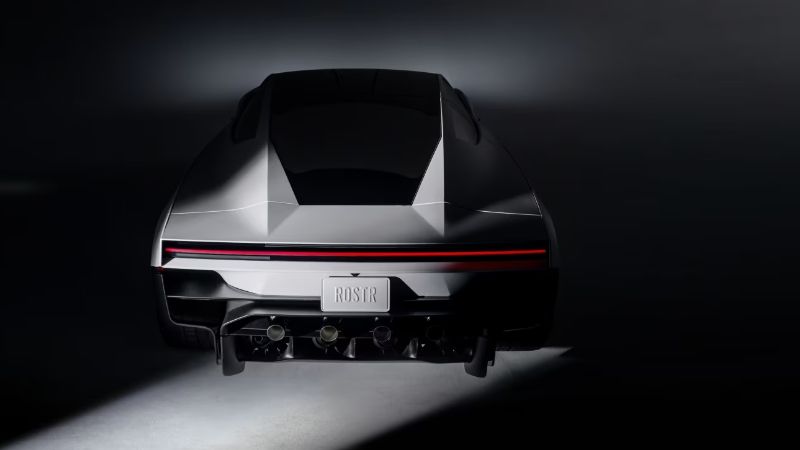
There is no Roadster entry in the official custom-wraps vehicle list we checked on October 16, 2026. The new Roadster product page is live, but that is not a downloadable Paint Shop template. Tesla × Wrap does not currently offer a Roadster editor or a compatible Roadster PNG export. Here is how to tell an actual template release from a promotional image or an unrelated 3D download.
| Resource | Useful for | Does it establish Paint Shop support? |
|---|---|---|
| Product photo or webpage screenshot | Reporting, reference and visual discussion | No |
| A third-party 3D mesh | Rendering, subject to its license | No; the mesh may use a different UV map |
| A model-specific official wrap template | Placing artwork on the intended body regions | Necessary evidence, but software availability still needs checking |
| A tested matching preview model and mapping | Checking the design in an editor | Helps verify placement, not vehicle software |
Where we checked for the official template
The useful starting point is Tesla’s custom-wraps repository, because its vehicle directories and README identify the published wrap layouts. In this check the root list contained the existing supported vehicles and no Roadster directory. The exact repository revision was recorded in our research notes. Treat this as a dated availability check, not a promise that Tesla will never add the car. Follow the original repository when checking a later announcement.
Why the official roadster GitHub project is a different thing
Tesla also has a repository called roadster. Its description identifies development and diagnostic files for the 2008–2012 vehicle. It is not a release of a new Roadster Paint Shop model. A matching name in a search result is insufficient: inspect the generation, file purpose and supported workflow before treating a download as editor input.
Why we have not added a Roadster editor yet
Our preview needs a compatible vehicle mesh, body-material assignments and a UV layout that agrees with the exported texture. A good-looking mesh alone is not enough. Adding a menu option with an unrelated vehicle underneath would give you a misleading preview. Renaming a Model 3 or Model Y PNG would leave the original panel coordinates unchanged. We will not label that file a Roadster-compatible export.
What you can prepare before a compatible model exists
Keep a small reference board, original graphics, type choices and editable color layers. Mark them as concepts. If you experiment on a supported car, save that project under its actual model name. Once a Roadster-specific layout is available, place the source artwork onto that layout afresh rather than stretching a finished texture from another vehicle. Check lettering and panel boundaries in more than one view.
What will count as a usable release
Before adding support, we need an identifiable source, permission to use the assets, a matching layout and a working local preview/export check. Any claim about applying a wrap in the car also needs evidence of the relevant vehicle feature. A press image does not meet those checks. The available-template catalogue is the place to see what you can actually edit today; a future Roadster addition will need its own explicit entry.
Continue with your wrap
Sources and compatibility
Requirements checked against Tesla’s published instructions on the date above. Your vehicle’s available features and software remain the final compatibility check.