
Updated
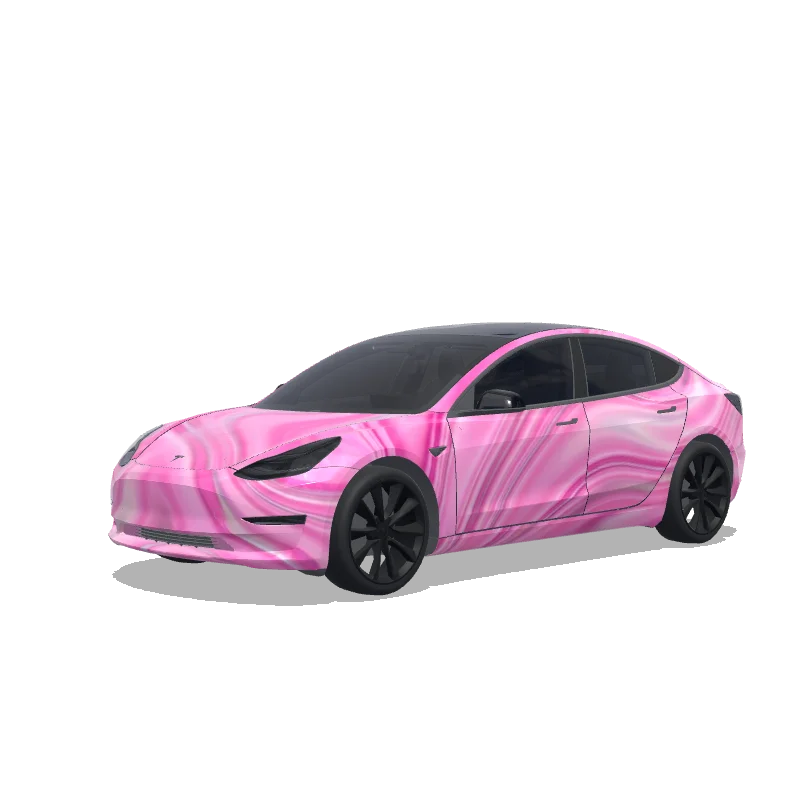
A pink Tesla wrap can be a broad color treatment, a character design or a small repeated pattern. The examples here show all three: pink waves on original Model 3, a large Kuromi graphic on Model Y 2025+ Premium, and friendly Halloween ghosts on Model 3 2024+ Standard & Premium. Pick the artwork and the matching vehicle label together. These are digital Paint Shop examples, not physical vinyl samples, and each community file belongs to its listed design rather than every Tesla.
Community designs to compare
Compare these credited community vehicle previews for color and placement. Each case lists its vehicle version; preview-only concepts are labeled separately.
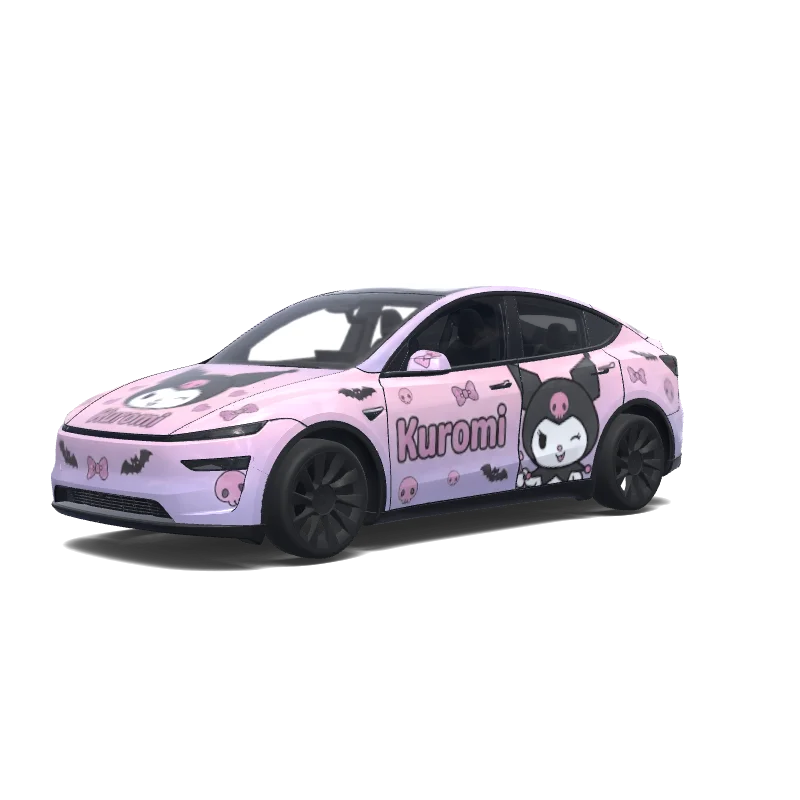
A large Kuromi door graphic and readable lettering sit on a pink base, with smaller dark bows and bats. This is a community fan design for Model Y 2025+ Premium.
View design details →Open original PNG ↗Save the original image from the new tab.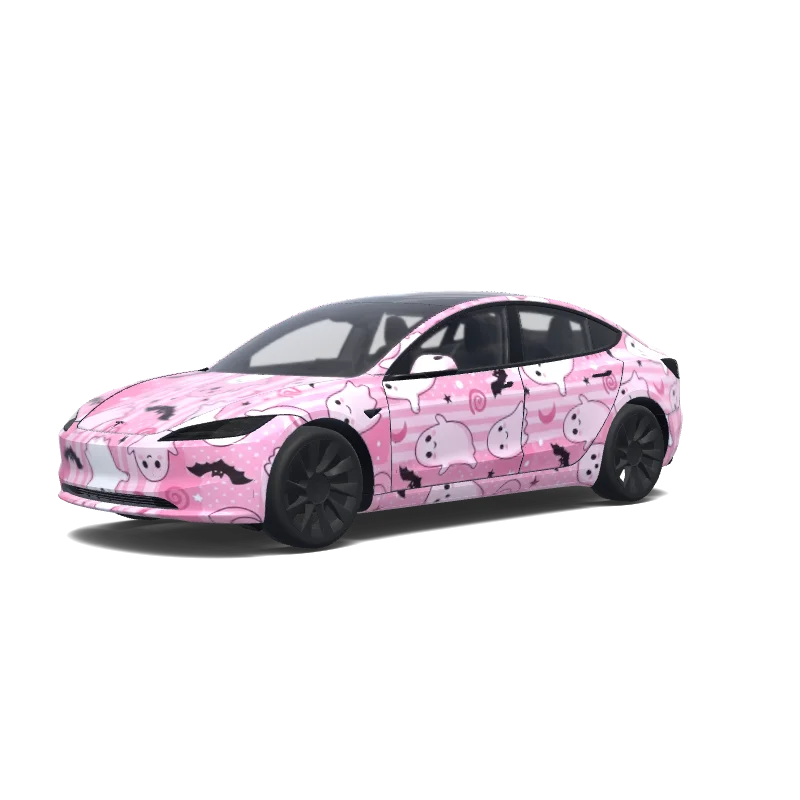
A community-created pink wrap with friendly ghosts and black bats. This is a custom digital design, not Tesla’s built-in Halloween Mode or a vehicle compatibility test.
View design details →| Direction | Main visual idea | Inspect in 3D |
|---|---|---|
| Pink waves | Large flowing pink and pale bands | How the hood and side transitions meet |
| Pink character design | Kuromi face, lettering and smaller dark accents | Whether the face and name remain easy to read |
| Pink seasonal pattern | Repeated white ghosts and black bats | Whether the pattern stays recognizable at a small size |
Use waves when color is the subject
The original Model 3 example uses wide pink bands with lighter ribbons running through them. It gives you a color-led option without a large mascot or name. Compare the front quarter with the side: a pleasing side gradient can still make the hood feel unrelated if the direction changes abruptly. If you adapt the idea, change one color at a time and judge the whole car again before adding icons. The pictured design is a community file, not the finished output of a recipe in this article.
Let one character carry a pink Model Y theme
The Kuromi Model Y Premium uses a large door character and readable side lettering, with smaller bows, bats and skull-like motifs around them. The important comparison is scale: the face and name carry the theme, while the small details fill supporting space. You do not need to ask AI for every panel separately to choose this look. Start with the existing case, inspect both sides and the hood, and decide whether you want the design as-is or a new idea in the same color family.
Choose small motifs for a lighter seasonal look
The pink ghost design repeats white figures and black bats rather than placing one giant scene across the whole side. Repetition lets the theme remain recognizable even when one small figure crosses a panel boundary. Check the hood and front bumper as well as the doors; those areas can change the balance of a busy pattern. This is a community Halloween-inspired wrap, separate from Tesla’s built-in seasonal software effects.
Match pink Model 3 and Model Y files before saving
The three covers are not alternate files for the same vehicle. Original Model 3, refreshed Model 3 Standard/Premium and Model Y Premium have different template entries. The case links preserve each example’s listed model. If your Model Y is Standard, Performance or L, browse that version instead of relying on the similar body shape in the cover. A familiar character or the same pink palette does not make two layouts interchangeable.
Pair pink with enough dark or light contrast
Pale pink, white artwork and a bright highlight can blend together at small preview size. If the subject becomes hard to see, try a darker outline or quieter background around it before adding more motifs. Conversely, a large black character on pink can dominate the entire design, so check whether that is the effect you want. Compare the same camera angle across two candidates rather than choosing by the flat UV sheet alone.
Download the pink artwork, not its cover image
Open the matching example in the editor and export the flat PNG when you are ready. Keep the car render separately if you want a reference. The PNG checker can inspect the actual format, dimensions, filename and file size; it cannot prove a perfect color match with real paint or a physical film. Then use the existing Tesla app or USB upload guide to transfer the original file. The character examples are community fan designs, not official branded vehicle editions.
Questions before you export
Can I use the pink Model Y Premium design on Standard?
Do not reuse its PNG unchanged. Choose the Standard template and matching gallery, or rebuild the artwork for that layout.
Does a pink PNG change the paint on my real Tesla?
No. Paint Shop wraps change the digital vehicle visualization. This page does not sell physical film or guarantee a real-world pink finish.
Continue with your wrap
Sources and compatibility
File requirements and template selections are checked against the sources below. Original palettes and layout exercises are design suggestions, not official Tesla designs or vehicle test results. Your vehicle’s features and software determine final compatibility.