
Updated
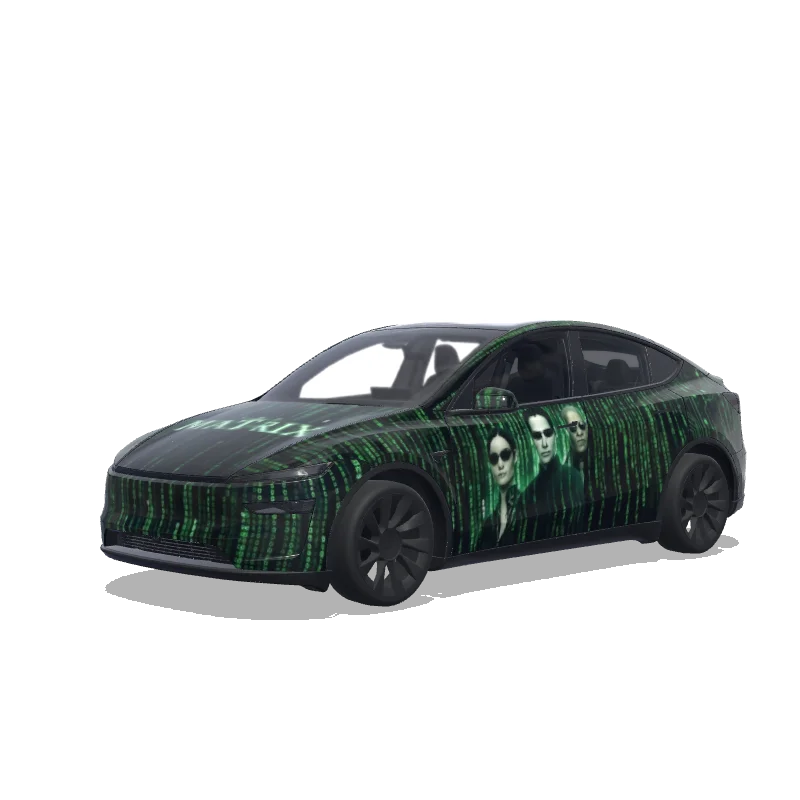
Searches for “Matrix wrap” can mean a physical textured film or another product. This guide uses the phrase for Matrix-inspired digital Tesla artwork: green code patterns, character imagery and dark body layouts. Start with the visual direction you want, then match it to the exact vehicle template. The examples are fan-made community designs, not official Matrix or Tesla artwork, and the digital preview is not a physical vinyl sample.
Community designs to compare
Compare these credited community vehicle previews for color and placement. Each case lists its vehicle version; preview-only concepts are labeled separately.
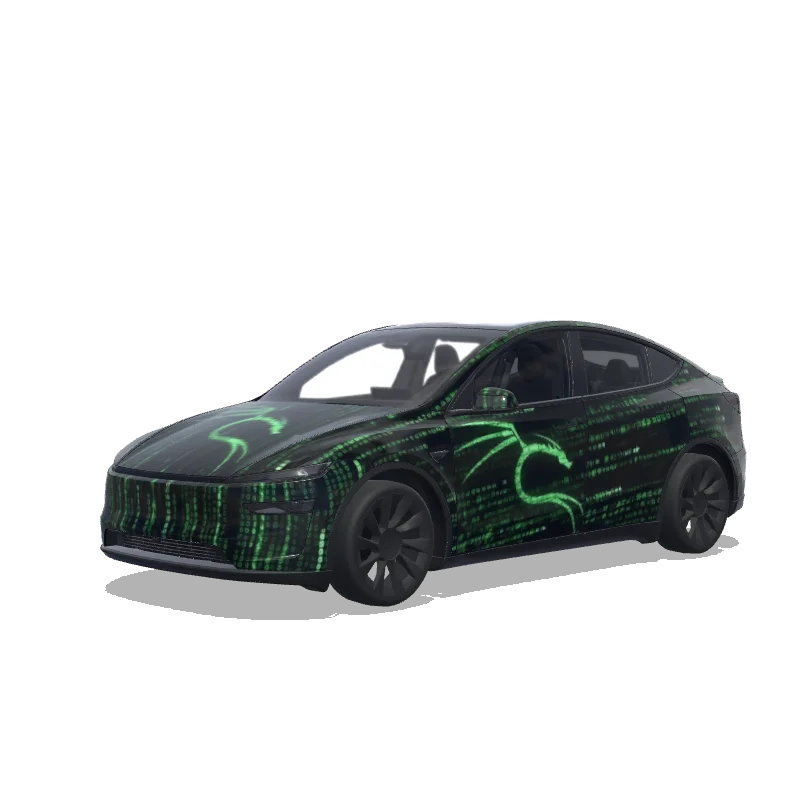
This mixed-theme case combines green-code imagery with a Linux-related emblem; compare the code-led treatment rather than calling it a pure Matrix movie design.
View design details →| Direction | Choose it when | Check before export |
|---|---|---|
| Code field with character portraits | You want the film reference to be explicit | Keep faces away from door seams and make sure the body remains readable at a smaller preview size. |
| Code field with one emblem | You want a graphic reference without a full character collage | Check that the emblem stays distinct from the repeated code texture. |
| Mostly dark panels with selective green | You want a quieter take on the theme | Use green where it helps the subject read; large areas of uniform detail can flatten the body. |
What does “Matrix wrap” mean on this page?
Here it means movie-inspired digital artwork for Tesla Paint Shop, not a particular vinyl finish or an interior trim product. The community preview by Marko Hoffmann combines falling green code with character portraits on a Model Y; a second Model Y design mixes code with a Kali Linux emblem. Those examples show why the query needs context: the word can describe different products and visual references. This page stays with the digital community-design meaning.
Choose between character art and a code-led pattern
Character portraits make a fan design immediately recognizable, but they occupy more visual space and can be divided by doors. A code-led composition gives the green texture more room and can stay readable with fewer focal elements. In the examples below, the portrait-led Model Y and the emblem-led version offer different levels of detail. Decide which element should catch the eye first, then reduce competing marks around it.
Keep text, faces and symbols clear of panel breaks
Place the main image inside a broad panel area and check its edge on the 3D vehicle. A face can be recognizable in the flat artwork but split across a door seam once mapped to the car. Text can also become too small or land across separate panels. Use the Model Y template that matches the intended vehicle, rotate the preview and inspect the hood, both sides and rear before adding more code marks.
Use green as a hierarchy, not a uniform fill
Reserve the brightest green for the element that should lead: a portrait zone, symbol or a smaller code stream. Let the rest of the body stay darker or less detailed so the subject stands out. The two community designs show a denser portrait treatment and a simpler emblem-led treatment; compare them at normal viewing size before borrowing either approach. These are visual observations about the submitted renders, not a ranking or popularity claim.
Match the template and validate the exported PNG
Use the template for the exact vehicle variant, not a screenshot or another model’s finished artwork. Tesla’s official custom-wrap instructions specify PNG files between 512 × 512 and 1024 × 1024 pixels, no larger than 1 MB, and recommend the matching template size. Check the actual file after export; a rendered vehicle cover is only a preview. Open the matching editor or PNG checker, then use the upload guide when you are ready to transfer it.
Questions before you export
Does “Matrix wrap” always mean the movie-inspired digital design?
No. The phrase can also refer to physical patterned vinyl or other products. This guide is specifically about green-code and character-inspired digital Tesla artwork.
Can I use a Model Y design on a Model 3?
Do not assume the PNG layout will match. Choose the exact model and variant template, then reposition the composition and inspect it on that vehicle.
Does a digital Matrix wrap change the real car’s exterior?
No. It changes the digital vehicle visualization only. It does not install vinyl, add lighting or change physical paint.
Continue with your wrap
Sources and compatibility
File requirements and template selections are checked against the sources below. Original palettes and layout exercises are design suggestions, not official Tesla designs or vehicle test results. Your vehicle’s features and software determine final compatibility.