
Updated
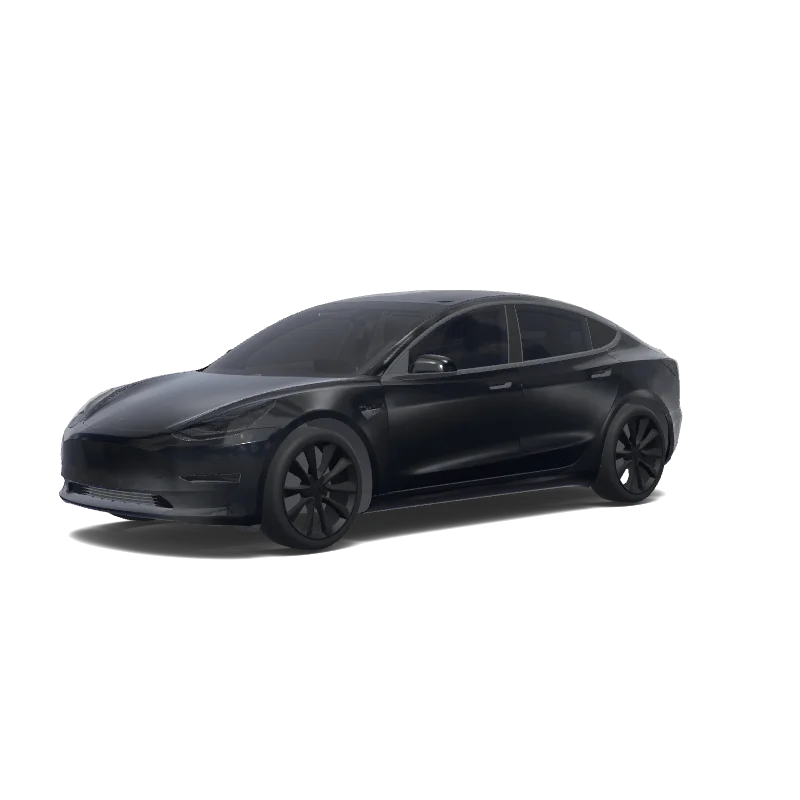
Want a matte black Tesla wrap look for your on-screen car? Start with the plain dark Model 3 below if you prefer a quiet body, or compare the Model Y examples for subtle blue accents and stronger white graphics. Open the case made for your vehicle before downloading or editing. These are community digital designs: their PNGs supply color and artwork, not a new matte-material setting or physical vinyl. If you are choosing film for the real car, a browser preview cannot replace an installer’s sample.
Community designs to compare
Compare these credited community vehicle previews for color and placement. Each case lists its vehicle version; preview-only concepts are labeled separately.
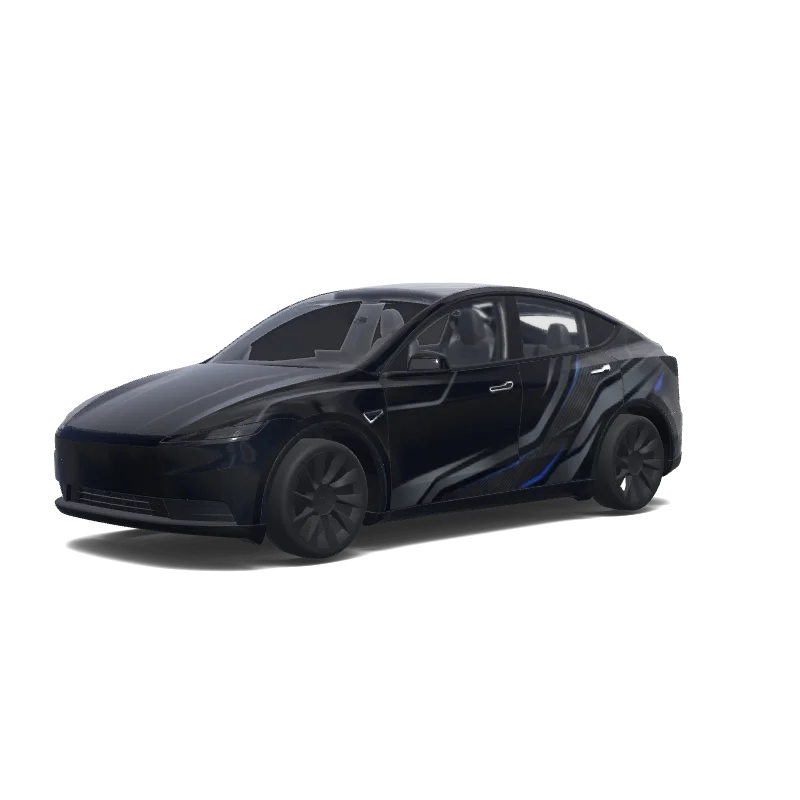
Gray side graphics and a small blue accent remain close to the dark body color. Compare the lower door detail at normal preview size; the screenshot does not establish a physical matte material.
View design details →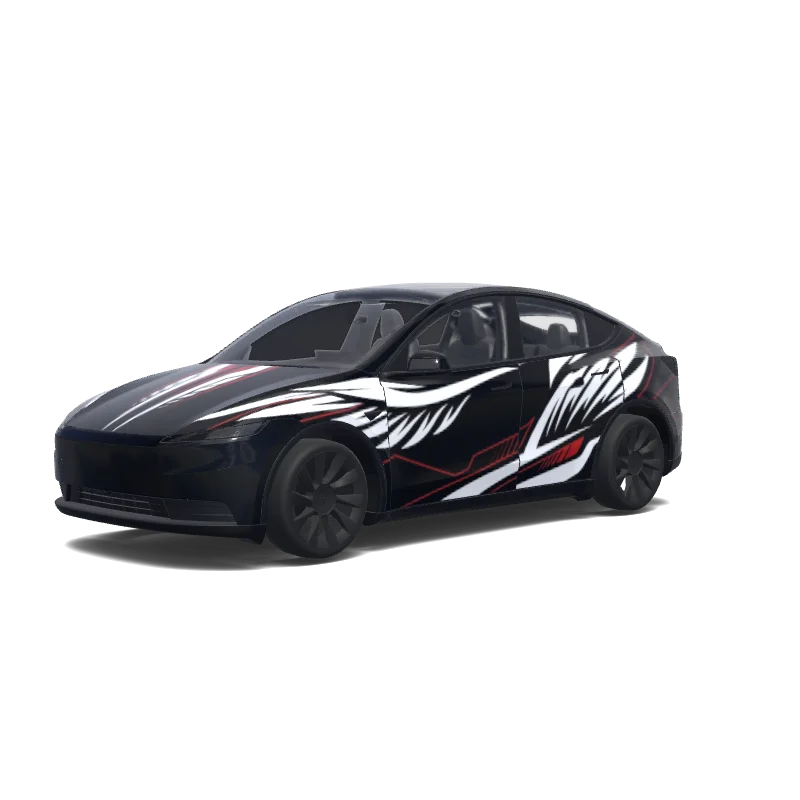
Large white feather-like shapes stand out on a dark body, with thin red accents. The file is labeled Model Y 2025+ Standard, not Premium or Performance.
View design details →Open original PNG ↗Save the original image from the new tab.| Look | What the community preview shows | Choose it when… |
|---|---|---|
| Plain dark body | A dark Model 3 with no large side illustration | You want the silhouette to do most of the work |
| Graphite + blue | Gray side shapes with a narrow blue accent on Model Y Standard | You want a small detail without a bright full-body theme |
| Black + white graphics | Large white feather-like shapes and fine red accents | You want the side artwork to stand out at a small size |
A dark wrap does not need a busy illustration
The Model 3 case uses a nearly uniform dark body. Its appeal is the relationship between the body shape, windows and wheels, rather than a character or wordmark. Compare the full car at normal preview size before zooming in. If the doors disappear into one dark mass, a slightly lighter charcoal field can separate the body from the window area. That is a color decision you can test in the editor, not a promise to reproduce the pictured reflections on your vehicle.
Use blue or white to change the mood without changing the base
The graphite Model Y keeps its gray graphics close to the base color and uses blue as a smaller accent. The black-and-white Model Y does the opposite: the white side shapes are the main visual event. Choose between those two goals before adding details. If you want a restrained black wrap, do not keep brightening every accent until it becomes a white graphic wrap by accident. If you want the door artwork to be noticed, deliberately give it enough contrast.
Matte, satin and gloss are different from PNG colors
A physical finish describes how a material responds to light. A flat wrap PNG contains image colors; it does not install new material properties into Tesla Paint Shop or this site’s model. The source prompt for a community design may say satin or matte, but that text is not a measured finish specification. Judge the dark palette and the actual visible artwork. Do not use this page as a comparison of film durability, paint protection, cleaning products or installation quality.
Choose Model 3 and Model Y files by their exact labels
The plain dark example is labeled for original Model 3. The two Model Y examples use the 2025+ Standard entry. A color you like can inspire another car, but these source PNGs are not universal skins. If you drive a Highland Model 3 or a Premium Model Y, use its own gallery or blank template. Resizing a file does not move the hood, doors or rear artwork into a different UV layout.
Keep a black Cybertruck idea separate from passenger-car files
For Cybertruck, a dark upper field with one lighter geometric accent is a useful starting direction. Use the Cybertruck-specific editor to try it. Do not stretch one of the square passenger-car files shown here onto the truck: Tesla publishes a different rectangular template. Our Cybertruck ideas page distinguishes visual-only community concepts from files that meet the matching template dimensions, so you can study a look without mistaking its preview for a verified download.
Save the design file rather than the car cover
The vehicle images above help you choose a look. The file used for Paint Shop is the flat PNG available from a matching design or from the editor’s Export PNG action. Check that final file after any edits: format, dimensions, filename and byte size all matter. Then follow the existing app or USB transfer guide. A file check can catch technical problems, but it cannot certify the exact shade or reflection your vehicle will display.
Questions before you export
Can I download a matte black Tesla wrap PNG here?
You can open the credited dark designs on their matching vehicle and export a PNG. Treat matte black as a visual direction: the file does not change the rendering material or provide physical vinyl.
Will the original Model 3 file fit a 2024 Model 3?
Do not assume that. Tesla lists separate refreshed Standard/Premium and Performance templates. Choose the correct Highland entry rather than reusing the original file unchanged.
Continue with your wrap
Sources and compatibility
File requirements and template selections are checked against the sources below. Original palettes and layout exercises are design suggestions, not official Tesla designs or vehicle test results. Your vehicle’s features and software determine final compatibility.