
Updated
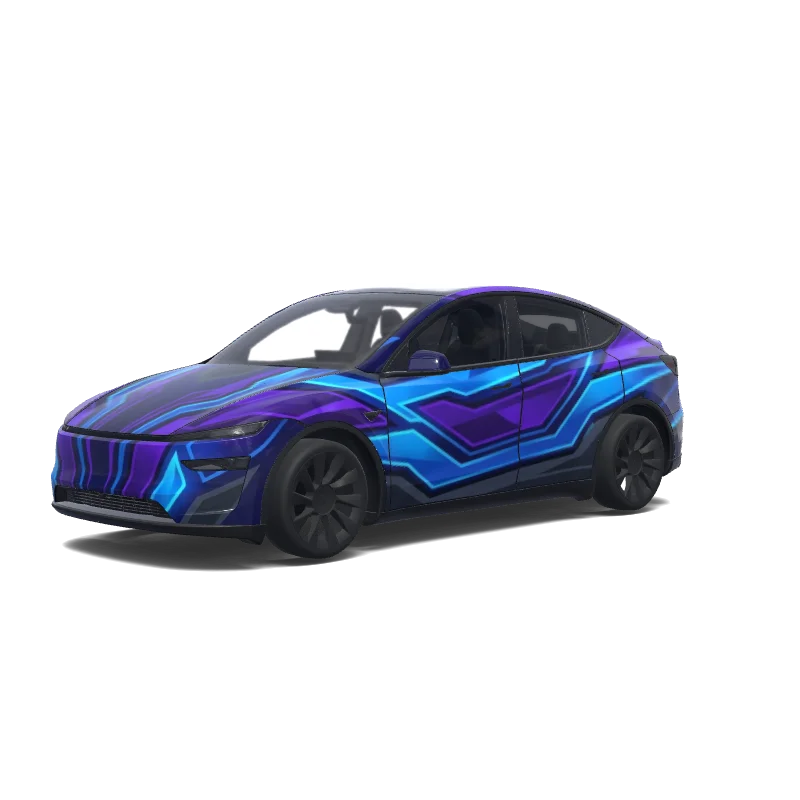
A Tesla avatar wrap is a design for the digital car shown on the vehicle’s screen. Choose the exact vehicle version, preview a matching community wrap, then download its flat PNG rather than saving a picture of the finished car. You can browse and export in this browser without an account; applying the file in Paint Shop requires access to a compatible Tesla. Start with the vehicle links below if you want a ready-made design, or open one of the credited examples in the editor.
Community designs to compare
Compare these credited community vehicle previews for color and placement. Each case lists its vehicle version; preview-only concepts are labeled separately.
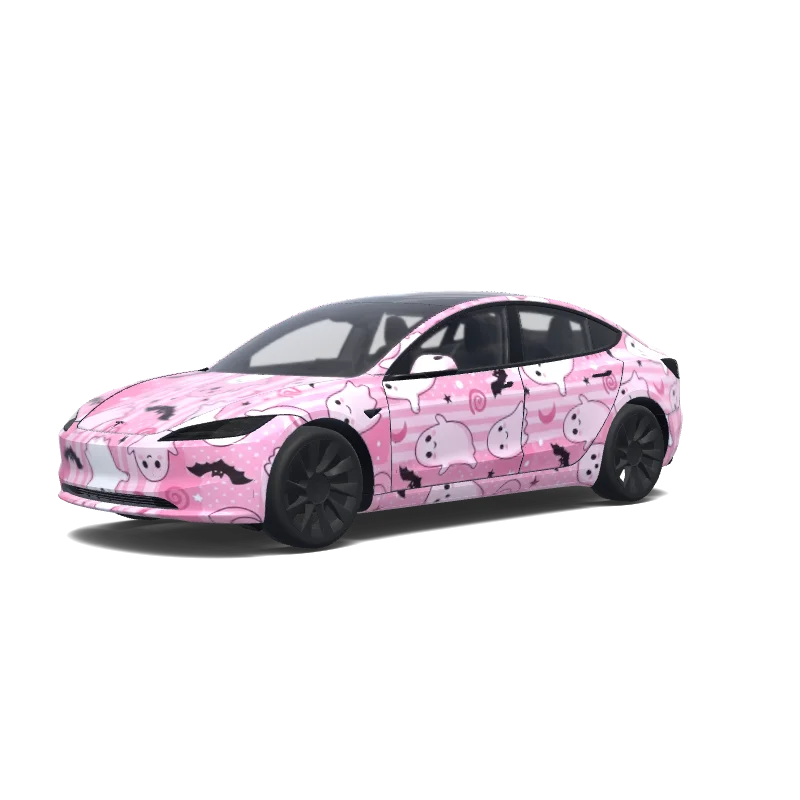
A community-created pink wrap with friendly ghosts and black bats. This is a custom digital design, not Tesla’s built-in Halloween Mode or a vehicle compatibility test.
View design details →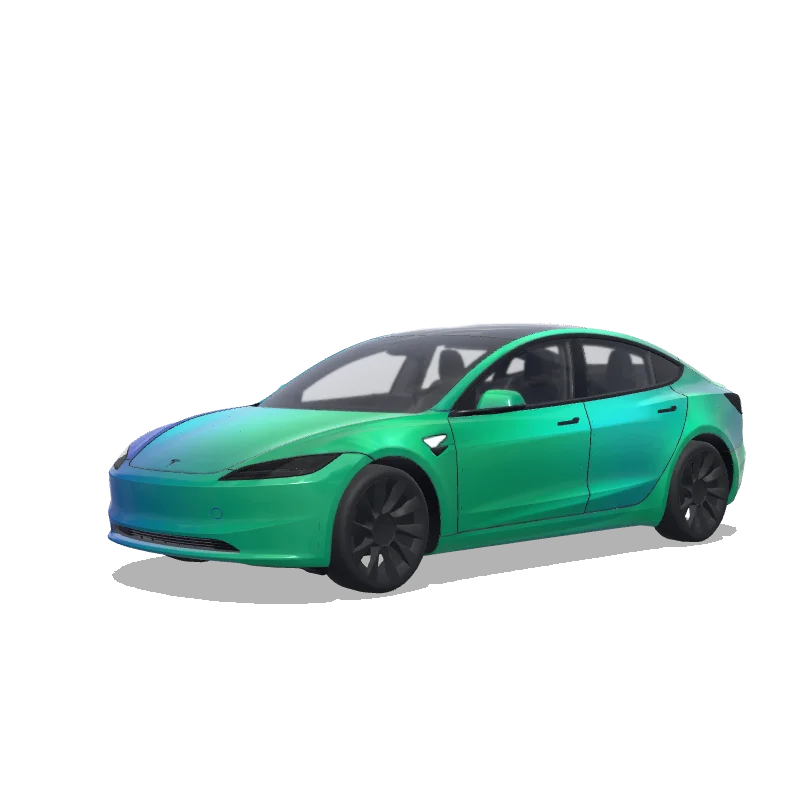
This Standard & Premium example keeps the subject simple: the color transition is the main graphic. It is a useful reference when deciding whether to add more illustration.
View design details →| Your vehicle | Choose in the gallery | Do not substitute |
|---|---|---|
| Model 3 | Original, 2024+ Standard & Premium, or 2024+ Performance | A different Model 3 trim just because the PNG is square |
| Model Y | Original, 2025+ Standard, Premium, Performance, or L | Another Model Y layout with a similar-looking cover |
| Model S | 2021+ or the separate 2025+ Plaid entry | An older or unlisted layout assumed compatible |
| Model X | The listed 2021+ entry | A Model S file because both are large vehicles |
| Cybertruck | Cybertruck-specific rectangular artwork | A square passenger-car texture stretched to fit |
Choose the artwork on the vehicle you own
The cover may catch your eye, but the model label determines whether the file is a sensible starting point. A cheerful character wrap, a quiet gradient and a dark geometric wrap can all be avatar designs. They become useful downloads only when paired with the correct vehicle template. The community examples here include their model and author, with an editor link that opens that particular design. A recognizable theme appearing on several vehicles does not mean the underlying PNGs are interchangeable.
Save the flat PNG, not the rendered car picture
A vehicle preview shows the design assembled around doors, hood and bumpers. The file Paint Shop needs is the flattened artwork with those regions laid out across the image. Download the case’s PNG or open it in the matching editor and use Export PNG. Saving the article cover gives you a useful visual reference, not the body-panel texture. If a file ends in WebP or JPEG, do not rename it to .png and assume it has been converted; check its actual format.
Preview the subject where it will actually appear
Rotate to inspect both sides and the rear. Look for a face cut through a door seam, text that reads backward, or a detailed scene squeezed into a small panel. For a simple color wrap, check whether the contrast remains visible beside the windows and wheels. A browser preview is a design aid; it is not a photograph of your car or a guarantee of the same lighting on its screen. If the layout is wrong, choose the correct template rather than trying several file names.
Keep the download, transfer and apply steps separate
Downloading saves a file to your phone or computer. Transferring sends that file through a supported Tesla app workflow or a USB Wraps folder. Applying means selecting it afterward in the vehicle’s Toybox → Paint Shop → Wraps tab. None of those steps is completed merely by closing this browser preview. Keep the original download available so you can transfer it without a chat service compressing the image. Our upload guide covers the transfer methods; the PNG checker can inspect the file before you leave the browser.
What is free, and when do you need an account?
Browsing community designs, opening the editor, inspecting the 3D preview and exporting PNGs do not use AI credits. Google sign-in is used for cloud projects and credit-based AI generation. If you already like a ready-made design, you do not need to generate another image simply to try it. A Tesla account and vehicle access are separate from this website’s account: Tesla’s app support states that vehicle features require a delivered vehicle with mobile access enabled.
If the avatar does not change, check which step failed
If the PNG never appears in the car, check the transfer, file properties and whether Paint Shop is available on that vehicle. If it appears but the doors or hood are wrong, check the model-specific mapping. If the car view works but another screen has not changed, compare that vehicle’s current software and controls rather than assuming an immediate sync guarantee. We do not promise that every app, vehicle generation or screen renders custom artwork identically. The troubleshooting guide separates a missing file from a misplaced design.
Questions before you export
Is a Tesla skin the same as an avatar wrap?
Sometimes. In Paint Shop discussions it can mean a digital vehicle texture; shops also use skin for physical film or accessories. Check whether the result is a downloadable vehicle PNG or something installed on the real car.
Can I preview an avatar wrap without owning a Tesla?
Yes, the browser editor and 3D preview work without vehicle access. Applying and validating the file in Tesla Paint Shop requires a compatible vehicle.
Does uploading a PNG change my physical paint?
No. It changes a digital vehicle visualization. It does not supply vinyl, repaint panels or certify a physical wrap color.
Continue with your wrap
- Model 3 2024+ Standard & Premium avatar wraps
- Model Y 2025+ Premium avatar wraps
- Cybertruck digital wraps
- Choose the matching Model S file
- Choose the matching Model X file
- Compare wrap colors on community vehicles
- Check the actual downloaded PNG
- Transfer your PNG with the Tesla app or USB
- Diagnose a wrap that does not appear
Sources and compatibility
File requirements and template selections are checked against the sources below. Original palettes and layout exercises are design suggestions, not official Tesla designs or vehicle test results. Your vehicle’s features and software determine final compatibility.